ClockWork - time management1.99.3
Publisher Description
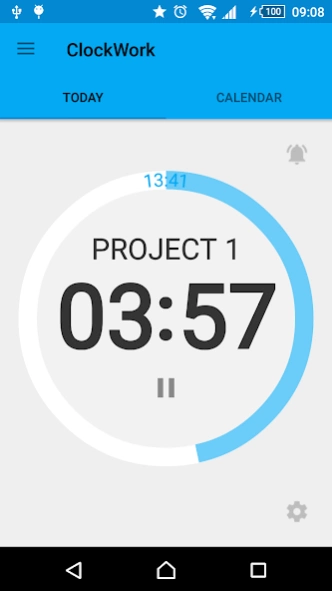


Time-management app with widgets and notifications support.
If you have time management issues to solve, you should try this app.
In ClockWork you can:
- track your activities and watch statistics in calendar or chart views
- set norm and track your working balance
- easily customize your "working days-off days" month pattern
- use widgets and many types of notifications
- backup your projects, save them to .zip or .xls files and share
Manage your working time easily with ClockWork!
About ClockWork - time management
The company that develops ClockWork - time management is Anatoly Khristianovsky. The latest version released by its developer is 1.99.3.
To install ClockWork - time management on your Android device, just click the green Continue To App button above to start the installation process. The app is listed on our website since 2017-10-17 and was downloaded 4 times. We have already checked if the download link is safe, however for your own protection we recommend that you scan the downloaded app with your antivirus. Your antivirus may detect the ClockWork - time management as malware as malware if the download link to com.akhris.clockwork is broken.
How to install ClockWork - time management on your Android device:
- Click on the Continue To App button on our website. This will redirect you to Google Play.
- Once the ClockWork - time management is shown in the Google Play listing of your Android device, you can start its download and installation. Tap on the Install button located below the search bar and to the right of the app icon.
- A pop-up window with the permissions required by ClockWork - time management will be shown. Click on Accept to continue the process.
- ClockWork - time management will be downloaded onto your device, displaying a progress. Once the download completes, the installation will start and you'll get a notification after the installation is finished.
Program Details
System requirements
Download information
Pricing
Version History
version 1.99.3
posted on 2017-10-17
-bug fixes;
-added some permanent notification settings;
version 1.99.3
posted on 2017-10-18
-bug fixes;
-added some permanent notification settings;
version 1.33
posted on 2016-12-22
-Redesigned screen with the list of time intervals,-Added indication of the ongoing time (tick of the colon),-Added indication of the ongoing project in the list of projects (may be useful if you have many projects)
